NewStori...First & Foremost A Quality News Outlet!

The Engine of Progress: How Research Advancements Drive Innovation and Global Solutions
Research advancements have long served as the foundation of human progress, driving innovation, informing evidence-based solutions, and enabling breakthroughs across virtually every discipline. In today’s interconnected and rapidly evolving world, the importance of research has become even more pronounced. From medicine and technology to environmental science, education, and economics, research acts as both a catalyst and a compass, guiding societies toward more effective, sustainable, and equitable outcomes. The global landscape of research is characterized not only by the generation of new knowledge but also by its application in solving complex, real-world problems.
At its core, research is a systematic process of inquiry aimed at discovering, interpreting, and applying knowledge. What distinguishes modern research from earlier eras is the scale, speed, and collaborative nature with which it is conducted. Advances in digital tools, data processing capabilities, and communication networks have transformed research into a highly dynamic and global endeavor. Researchers from different countries and disciplines can now collaborate in real time, sharing data, methodologies, and findings in ways that accelerate discovery and reduce duplication of effort.
One of the most visible impacts of research advancements is in the field of healthcare. Scientific research has led to the development of life-saving treatments, vaccines, and diagnostic tools that have significantly improved global health outcomes. The rapid development of vaccines in response to emerging diseases demonstrates how decades of foundational research can be mobilized to address urgent challenges. Beyond treatment, research has also enhanced preventive care, enabling earlier detection of diseases and more personalized approaches to medicine. Genomic research, for instance, has opened the door to precision medicine, where treatments are tailored to an individual’s genetic profile, increasing effectiveness and reducing adverse effects.
In addition to improving individual health, research contributes to the strengthening of public health systems. Epidemiological studies provide insights into how diseases spread, informing policies and interventions that can prevent outbreaks. Data-driven approaches allow governments and organizations to allocate resources more efficiently, target high-risk populations, and evaluate the effectiveness of health programs. This reliance on evidence-based decision-making ensures that policies are grounded in reliable data rather than assumptions or anecdotal evidence.
The role of research in driving technological innovation cannot be overstated. Many of the technologies that define modern life—such as the internet, artificial intelligence, renewable energy systems, and advanced manufacturing—are the result of sustained research efforts. Basic research lays the groundwork by exploring fundamental principles, while applied research translates these findings into practical applications. This continuum from discovery to implementation is essential for innovation. For example, breakthroughs in materials science have enabled the development of more efficient batteries, which in turn support the growth of electric vehicles and renewable energy storage solutions.
Research also plays a critical role in addressing environmental challenges. As the world grapples with climate change, biodiversity loss, and resource depletion, scientific research provides the evidence needed to understand these issues and develop effective solutions. Climate models, for instance, rely on vast amounts of data to predict future scenarios and assess the impact of different policy choices. Environmental research has led to innovations in sustainable agriculture, water management, and waste reduction, helping to mitigate the negative effects of human activity on the planet. Importantly, this research informs international agreements and national policies aimed at promoting sustainability and resilience.
In the field of education, research advancements have reshaped how knowledge is delivered and absorbed. Educational research explores the most effective teaching methods, learning environments, and assessment strategies, leading to improved outcomes for students. The integration of technology into education—such as online learning platforms, adaptive learning systems, and digital resources—has been guided by research into how students learn best. These innovations have expanded access to education, making it possible for learners from diverse backgrounds and locations to acquire knowledge and skills.
Another significant aspect of research is its ability to foster interdisciplinary collaboration. Many of the challenges facing the world today are complex and multifaceted, requiring expertise from multiple fields. For instance, addressing climate change involves not only environmental science but also economics, political science, engineering, and sociology. Interdisciplinary research brings together diverse perspectives, leading to more comprehensive and innovative solutions. This approach encourages creativity and allows researchers to tackle problems that cannot be solved within the confines of a single discipline.
The economic impact of research advancements is also substantial. Investment in research and development (R&D) is a key driver of economic growth and competitiveness. Countries that prioritize research often lead in innovation, attracting talent, investment, and industries. Research-driven innovation leads to the creation of new products, services, and markets, generating employment opportunities and improving standards of living. Moreover, research helps businesses optimize operations, reduce costs, and respond to changing market demands, enhancing their ability to compete in a global economy.
Evidence-based solutions, which are grounded in rigorous research, are essential for effective decision-making across sectors. In public policy, for example, evidence-based approaches ensure that interventions are designed and implemented based on what has been proven to work. This reduces the risk of unintended consequences and increases the likelihood of achieving desired outcomes. In business, data-driven strategies enable organizations to make informed decisions about investments, marketing, and operations. In education and healthcare, evidence-based practices improve quality and accountability, ensuring that resources are used effectively.
Despite its many benefits, the research landscape also faces challenges. One of the most pressing issues is the gap between research and implementation. While significant knowledge is generated, it is not always translated into practice. Bridging this gap requires effective communication, collaboration between researchers and practitioners, and supportive policy frameworks. Another challenge is ensuring equitable access to research resources and opportunities. Disparities in funding, infrastructure, and education can limit the ability of certain regions or communities to participate in and benefit from research.
Ethical considerations are also central to research advancements. As new technologies and methodologies emerge, they raise important questions about privacy, consent, and the responsible use of data. For example, advancements in artificial intelligence and genetic engineering have the potential to transform society but also require careful regulation to prevent misuse. Ethical research practices ensure that the pursuit of knowledge does not come at the expense of individual rights or societal well-being.
The globalization of research has created opportunities for shared progress but also requires coordination and cooperation. International collaborations allow for the pooling of resources, expertise, and data, enabling large-scale projects that would be difficult for any single country to undertake. Examples include global health initiatives, space exploration programs, and climate research efforts. However, these collaborations must navigate differences in regulations, priorities, and cultural perspectives, highlighting the need for effective governance and mutual trust.
Another important dimension of research is its role in fostering innovation ecosystems. Universities, research institutions, governments, and private sector organizations all contribute to the creation and dissemination of knowledge. Innovation ecosystems thrive when there is strong collaboration among these stakeholders, supported by policies that encourage investment in research and the commercialization of discoveries. Startups and technology hubs often emerge from such environments, translating research findings into practical solutions that address real-world needs.
The rise of big data and advanced analytics has further amplified the impact of research. The ability to collect, process, and analyze vast amounts of data enables researchers to uncover patterns and insights that were previously inaccessible. This has applications across disciplines, from predicting disease outbreaks and optimizing supply chains to understanding consumer behavior and improving urban planning. Data-driven research enhances accuracy and efficiency, allowing for more precise and targeted interventions.
Communication and dissemination of research findings are equally important. Open access publishing, digital platforms, and social media have made research more accessible to a broader audience. This democratization of knowledge allows not only researchers but also policymakers, practitioners, and the general public to benefit from scientific advancements. Effective communication ensures that research findings are understood and applied, maximizing their impact.
Looking to the future, research advancements are expected to continue driving transformative change. Emerging fields such as quantum computing, biotechnology, and space exploration hold immense potential for innovation. At the same time, the integration of artificial intelligence into research processes is likely to accelerate discovery, enabling more efficient data analysis, hypothesis generation, and experimentation. These developments will further enhance the ability of research to address complex global challenges.
Sustainability and inclusivity will be key priorities in the evolving research landscape. Ensuring that research benefits all segments of society requires deliberate efforts to address inequalities and promote diversity.
Inclusive research practices bring a wider range of perspectives, leading to more comprehensive and equitable solutions. Similarly, sustainable research practices aim to minimize environmental impact while maximizing long-term benefits.
In conclusion, research advancements are a driving force behind innovation, evidence-based solutions, and global progress. By generating new knowledge and translating it into practical applications, research addresses some of the most pressing challenges facing humanity. Its impact spans multiple disciplines, influencing healthcare, technology, education, the environment, and the economy. While challenges remain, the continued evolution of research—supported by collaboration, ethical practices, and effective communication—holds the promise of a more informed, innovative, and sustainable future. As societies invest in and prioritize research, they lay the groundwork for progress that benefits not only the present generation but also those to come.

Google has been steadily integrating Gemini across Google Workspace, embedding AI into Docs, Gmail, Sheets, Slides, Drive, and Meet. With so many updates rolling out, the real question isn’t what Gemini can do; it’s what’s actually useful in day-to-day work.
The best Gemini features are arguably the more practical tools that help you manage information faster, such as summarizing, drafting content, organizing data, and tracking all those meetings. Let’s go through all the best ones.
The best Gemini features in Google Docs
What Gemini in Docs does best is automatic summarization. Instead of digging through a long report or research doc, you can ask Gemini for the key points or a quick outline. It’s a time-saver when you’re reviewing something or want to quickly explain the information to a colleague.
There’s also a new “Help me create” tool. You can describe what you want, like a newsletter or a report, and Gemini will pull in context from your Drive, Gmail, and Chat to generate a first draft as a strong starting point.
On top of that, there are other useful tools like “Help me write,” which can clean up your wording or expand on ideas, and “Match writing style,” which is great when multiple people are contributing to the same document and the tone is all over the place. There’s even a “Match the format” feature that lets you copy the structure of another document, which is handy if you’re working from a template. (These features are currently still in beta.)
The best Gemini features in Gmail
Gemini in Gmail is particularly useful when your inbox gets out of control. The “AI Inbox” feature filters out all the non-important messages and highlights the emails that matter, like a reminder for your upcoming doctor’s appointment or your son’s soccer practice next week.
Gemini also summarizes long email threads, which means you don’t have to scroll through a dozen back-and-forth messages just to figure out what’s going on. You can get the key points in an email summary card right at the top of the email.
“Help me write” is another handy capability. Gemini can generate replies based on the context of the conversation. Whether you want something more formal or shorter, it can rewrite messages quickly in the tone you want. Plus, it goes a bit further with contextual smart replies, which generate longer, more detailed responses.
There’s also an “AI Overview” feature, allowing you to ask Gemini a question such as “Who was the plumber who gave me a quote for the bathroom renovation last year?” and the AI will dig through your emails to find the conversation.
The best Gemini features in Google Sheets
With a single prompt, Gemini can grab relevant information from Gmail, Chat, and Drive and turn it into a fully structured spreadsheet. It can also help you visualize data by generating charts and graphs.
There’s also a “Fill with Gemini” feature that speeds up populating tables, which is useful when you’re starting from raw or incomplete data.
The best Gemini features in Google Slides
For creating slides, Gemini’s strength is formatting, which removes a lot of the repetitive work. It’s especially useful for internal presentations or when you just need a solid first draft quickly.
You can give it a prompt like “create a five-slide deck summarizing our Q1 results,” and it will build out a presentation that matches your theme, pulls in relevant content, and organizes it into slides with bullet points and visuals.
From there, you can tweak things by asking it to simplify slides, adjust formatting, or match a specific design style. There’s also a “refine text” feature if you need to shorten a paragraph or rephrase a sentence.
A bonus tool: You can tweak images in Slides using Nano Banana, Google’s image-editing model.
The best Gemini features in Google Meet
The standout Gemini feature in Meet is automatic note-taking. Instead of trying to listen and write at the same time, you can let Gemini capture the key points, decisions, and action items for you. After the meeting, everything is already organized and ready to share.
Gemini also helps out if you join late. You can ask what you missed and get a quick summary without interrupting the flow.
There are also practical upgrades like real-time translated captions, improvements to video, and the ability to reduce audio distortion to make meetings easier to follow.
The best Gemini features in Google Drive
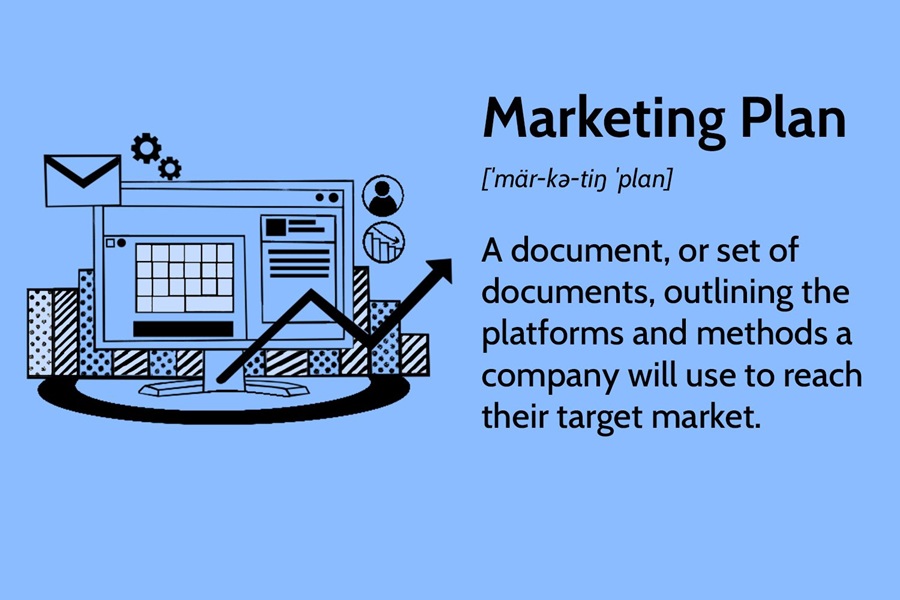
Gemini in Drive allows you to quickly search for files, summarize a marketing plan, pull specific targets from a document, or even draft updates based on the latest files in your workspace. Gemini can also generate an “AI Overview” of the most relevant information across your documents, complete with sources. That means you don’t have to open five different files just to find one detail.
Plus, with a new beta tool called “Ask Gemini in Drive,” you can now ask complex questions across your calendar, documents, emails, and the web.
The best Gemini features in Calendar
As for Google Calendar, one of the standout AI-powered features is “Help me schedule.” Instead of manually scanning availability, you can describe what you need, and Gemini will suggest the best times based on everyone’s calendars. It can even take preferences into account, such as avoiding early mornings. Gemini can connect to your Gmail to detect available time slots, rather than proposing times blindly.
Gemini also helps with event creation. You can type a simple prompt like “Lunch with Nick,” and it will generate a full calendar event with the right date, time suggestions, and even location details.
It also improves rescheduling. If a meeting needs to shift, Gemini can suggest alternative times that minimize conflicts, instead of forcing you to manually recheck everyone’s availability, which is great when you have larger groups.
The best Gemini features in Chat
Instead of scrolling through long threads, you can ask Gemini to summarize a space, highlight key decisions, or pull out action items. This is especially helpful in active team channels where important details tend to get buried.
Gemini can also draft replies based on the context of the conversation. It also learns from your past conversations, so it can bring up key details and past moments in its chat suggestions to sound more natural.
Another useful feature is its ability to connect chats with files. You can ask questions about documents shared in a conversation without opening them.
The best Gemini features in Google Vids
Gemini in Google Vids helps you generate polished video content. Instead of starting from scratch, you can prompt Gemini to generate a rough cut based on a topic or outline. It can suggest scenes, structure your narrative, and draft scripts automatically.
Gemini can also handle voice-overs by generating script variations and adjusting the tone. With transcript trimming, Gemini identifies “ums” and any awkward pauses that you want to remove from the recording.
There’s also the ability to convert an image to video using Gemini Veo 3, as well as input a script and use an AI-powered avatar as the star of the video.
The best Gemini features in Forms
Gemini in Forms lets you describe what you want, such as a survey, and generate a complete form with relevant questions and structure.
It also helps refine questions. Gemini can suggest clearer wording and better answer formats, and identify gaps in your form that might lead to incomplete or low-quality responses. This is particularly useful when you’re trying to gather actionable data.
In addition, Gemini can summarize results as they come in, highlighting trends and key takeaways without requiring you to dig through raw data. Instead of exporting responses and analyzing them elsewhere, you get immediate insights directly within Forms.